
Security engineering · Updated 22 October 2026 · By the StadiaSoft editorial team
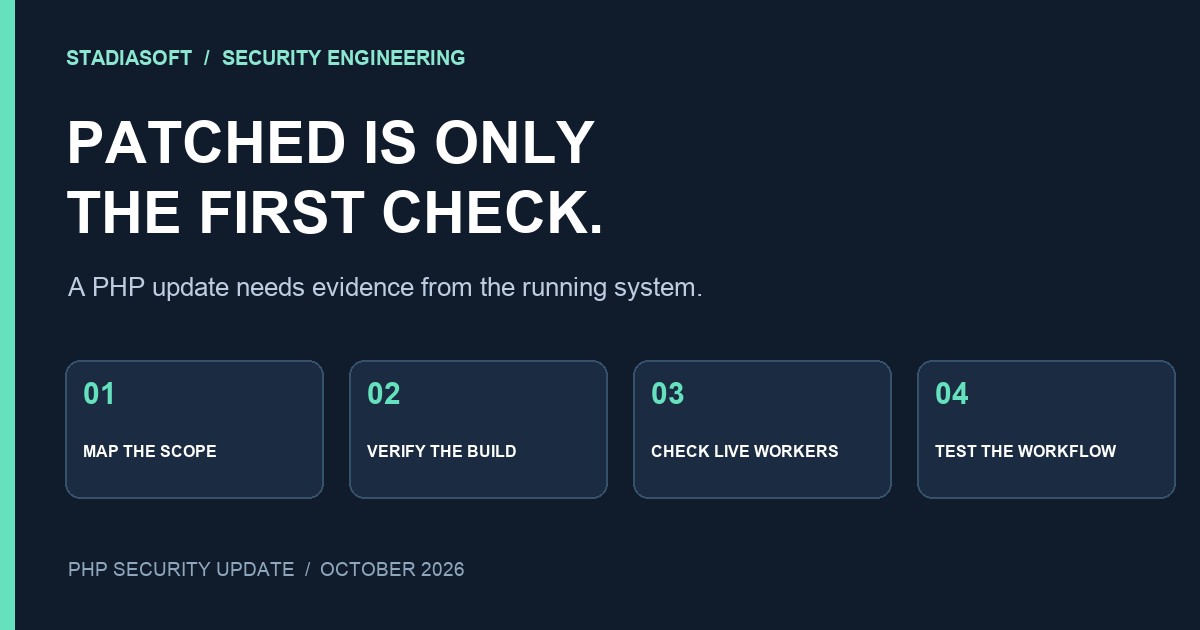
A successful package update is only the beginning of a PHP security fix. The application can still be served by an old worker, a forgotten container or a second server outside the deployment you just checked.
The October 2026 PHP security update makes that distinction urgent. This guide explains how to move from an advisory to a verified production change, with evidence for each application. It is written for developers and the people responsible for WordPress, Laravel and other PHP systems.
Immediate action: Ask the operator of every PHP environment to confirm that both CVE-2026-109618 and CVE-2026-109619 are addressed. Record the vendor package or upstream release, verify the running web processes, and test the application paths that matter. An accessible homepage does not establish that a runtime is patched.
What the PHP security advisory confirms
On 21 October 2026, the PHP project released fixes for two critical vulnerabilities that can permit unauthenticated remote code execution. Its advisory treats PHP installations serving web requests as in scope and identifies Apache with mod_php as the highest-risk deployment. Exploitability varies with configuration and application behavior; the warning does not mean every exposed site has already been compromised. Read the official PHP advisory for the current scope.
| Supported branch | Fixed release | What to confirm |
|---|---|---|
| PHP 8.2 | 8.2.35 | Fixed release or documented vendor backport |
| PHP 8.3 | 8.3.36 | Fixed release or documented vendor backport |
| PHP 8.4 | 8.4.27 | Fixed release or documented vendor backport |
| PHP 8.5 | 8.5.12 | Fixed release or documented vendor backport |
These are the upstream fixes published for this event. A Linux distributor may backport the fix while retaining an older-looking version string. Confirm the full package revision against that distributor’s security notice. Conversely, a hosting interface that simply says “PHP 8.3” does not establish whether its patch level is current.
Two memory-safety failures, different paths
CVE-2026-109618 concerns out-of-memory corruption: interrupted initialization can leave internal request data in a state that cleanup handles incorrectly. CVE-2026-109619 concerns stale global state: a worker can retain references to memory from an earlier request and use them during a later request. The advisories explain the conditions and configuration differences.
The practical response is to identify the interpreter serving the application. A framework upgrade or a WordPress plugin update cannot, by itself, establish that this separate software layer has changed.
Start with an application-to-runtime inventory
List applications before listing servers. One server may serve several applications through different PHP pools. One application may span several machines. A useful inventory connects a public route to the runtime that actually handles it.
Include production websites and API endpoints. Then check staging sites, old subdomains, internal administration tools and deployment images. A staging environment with live credentials deserves attention even if it receives little traffic.
| Field | Example or evidence |
|---|---|
| Application and route | Storefront; checkout host; administration route |
| Execution environment | Host, pool, container image or managed platform |
| Installed build | Full package revision and vendor advisory |
| Running build | Operator verification for web-serving processes |
| Change and recovery owner | Named person with deployment access |
| Functional checks | Test result, time and person who checked it |
| Remaining exception | Reason, exposure control, owner and next review |
Do not accept “all our websites are on the same host” as a completed inventory. It is a useful starting assumption to test. Domain aliases, a separate booking application or an old migration environment can break it.
For teams connecting several systems, this is the same ownership problem discussed in our work on API integration services: the important boundaries are often the ones missing from the diagram.
Use four evidence gates before closing the ticket
We recommend four gates: scope identified, fix installed, runtime activated and application verified. This is an operating checklist for your team, rather than a claim that PHP requires one particular deployment process.
Gate 1: scope identified
Every application has an owner and a known runtime. Anything unknown stays visible as an exception. Do not mark an entire hosting account complete because the main site has been checked.
Gate 2: fix installed
Keep the package revision, image identifier or provider confirmation that establishes the presence of both fixes. Match it to the correct environment. A receipt for a build in staging is not evidence for production.
Gate 3: runtime activated
Verify that the processes serving web requests are using the patched build. Follow the platform’s documented restart, rollout or replacement procedure. In a multi-instance application, verify the complete fleet, including any old instances still registered with a load balancer.
Gate 4: application verified
Run a small set of meaningful checks through the application. Record what passed and what failed. Keep the update ticket open if a critical workflow broke, even when the runtime patch itself is correctly installed.
A useful closure record connects one application to one verified running build and a recorded functional result.
PHP patch verification across three common deployments
The following are illustrative deployment patterns, not accounts of client incidents. Use the pattern closest to your environment to decide what evidence to request.
Example 1: WordPress on managed hosting
A site owner updates WordPress and every plugin. The host separately controls PHP. The WordPress dashboard now looks current, but nobody has checked the interpreter.
Ask the provider to identify the PHP build serving the affected site and confirm that both CVEs are covered. If its platform maintains the runtime automatically, request the relevant maintenance notice and confirmation of application to your environment. Then check the contact form, account login and any checkout or booking integration.
WordPress’s hardening guidance treats server software and the application as separate responsibilities. Use that distinction to resolve ownership before the next emergency.
Example 2: Laravel behind PHP-FPM
A deployment updates the PHP command-line binary, while the web server points to a different FPM pool. A terminal version check reports a patched release. Web requests still use the older interpreter.
Map the virtual host to its FPM pool and identify the executable used by the serving processes. Check the package revision for that pool, complete the documented service rollout and verify the web path. Separately account for queue workers or scheduled jobs that use a different binary.
These command-line checks can help collect context:
php -v
php --ini
They describe the command-line environment. They do not prove which interpreter handles an HTTP request. Avoid creating a publicly accessible phpinfo page as a shortcut: it can expose configuration details and still leave other instances unverified.
Example 3: a containerized service
A developer changes a Dockerfile to reference a fixed PHP release. The image builds successfully, but the production workload still references the previous image. Editing the repository has not changed the running system.
Record the new image’s immutable identifier, deploy it, and verify the instances receiving traffic. Update the build definition as well as the live deployment so a future release cannot silently restore the vulnerable base. For rolling deployments, check that old instances have left the serving pool before closing the runtime gate.
For a product with several services, keep this evidence alongside the release process used for SaaS development and operation. A successful pipeline is useful evidence only when its deployment target and running result are clear.
Patch urgently with a controlled change plan
Urgency should shorten the route to a decision. It should not erase the information needed to recover from a failed change.
- Confirm the source of the fix. Use the upstream project, your distributor or your managed provider. Match the guidance to your deployment rather than copying commands from an unrelated stack.
- Check your recovery position. Know which backup or deployment artifact is available, what it covers and whether the restore path is understood. A backup taken after a compromise may contain the compromise.
- Choose the smallest appropriate change. A supported branch’s security patch may require fewer compatibility changes than an unrelated major upgrade. An end-of-life stack may need a separate upgrade plan.
- Deploy through the correct control plane. A managed host, package-managed virtual machine and container platform have different procedures.
- Verify activation and business workflows. Record the result against the application, not only against the change request.
If the rollout causes failures, a rollback to a vulnerable runtime reopens the security exposure. Treat that as an explicit exception requiring an operator’s decision. Where practical, isolate the affected service while resolving compatibility, rather than quietly restoring public exposure and declaring the change finished.
Older PHP versions need a vendor-specific decision
The PHP advisory explains that older branches are outside normal upstream support. It also describes vendor backports and exceptional source backports. Do not assume either that no fix can exist or that an old installation is covered automatically. Ask who maintains your package and request a concrete patch reference.
A source patch is not evidence that someone has built and deployed it to your environment. If nobody owns that work, upgrading to a supported runtime becomes an operational decision that needs a responsible person and a deadline.
Test a transaction, then test its downstream result
A homepage check catches only a narrow class of failures. Choose checks that prove the application still completes its important jobs after the runtime changes.
- Lead generation: submit a clearly marked test enquiry, confirm the CRM record and check the expected notification.
- Commerce: use the platform’s approved test or sandbox flow to verify checkout, order creation and the downstream event. Avoid unplanned live charges.
- Authenticated software: check login and a representative permitted action under the appropriate role.
- Asynchronous work: confirm a representative queued job completes and its result reaches the application.
If an enquiry depends on a webhook or a scheduled reconciliation job, include that handoff in the test. Our webhooks vs APIs guide explains why delivery and retries belong in the integration design.
Use synthetic information where possible. For a workflow containing sensitive records, test with the access controls and data-handling rules already agreed for that application.
Compare errors and latency with the period before the change. A short successful test does not establish that every route is correct, so define a follow-up observation period based on the application’s traffic and critical workflows. Record that period rather than assuming a universal “safe after 30 minutes” rule.
Patching and investigating a compromise are separate jobs
A vulnerability establishes a possible entry point. It does not establish that an attacker used it. Equally, installing a fix does not remove persistence that an attacker may already have created.
If you see suspicious file changes, unexpected administrator accounts or unexplained outbound activity, involve the people responsible for incident response. Preserve relevant evidence and decide how to contain the affected environment before routine cleanup overwrites useful information.
Ask the incident lead whether rebuilding from a trusted source is appropriate and which credentials or connected systems need investigation. Credential changes should happen from a trusted environment and in a sequence that avoids handing fresh secrets back to a compromised system. Keep conclusions tied to what was actually examined.
The patch ticket and incident record may be linked, but each needs its own completion criteria. “Runtime fixed” and “investigation complete” describe different findings.
PHP security update questions
Does updating WordPress fix these PHP vulnerabilities?
A WordPress update changes the application. Ask the runtime operator for separate evidence that PHP contains both fixes. Keep WordPress and its extensions maintained as part of the wider security process.
Can a firewall replace the PHP update?
The PHP project says its temporary measures are incomplete. A firewall or exposure restriction can be one layer of containment, but it should not be used as proof that the runtime vulnerability has been remediated.
Why can a vendor’s PHP version look older than the fixed release?
Distributors may backport security fixes into maintained packages. Check the full revision against a vendor advisory covering these exact CVEs. A short version number alone is inconclusive.
Is managed hosting enough to close our ticket?
It can simplify execution when the provider owns the relevant layer. You still need confirmation that your environment is covered and that the application works after the change.
Close the gap between “updated” and “verified”
Start with one application record. Identify its runtime owner, attach evidence of the fix, confirm the running build and record a functional test. Repeat across the inventory until every environment has an answer or an explicit exception.
If your team cannot map an application to the infrastructure behind it, that is the first problem to solve. Discuss the deployment and integration boundaries with StadiaSoft so the next change has a clear owner and a testable outcome.
Prepared by the StadiaSoft editorial team. Technical sources checked on 22 October 2026. Examples are illustrative. This article describes a response process; it does not certify the security of any individual system.